
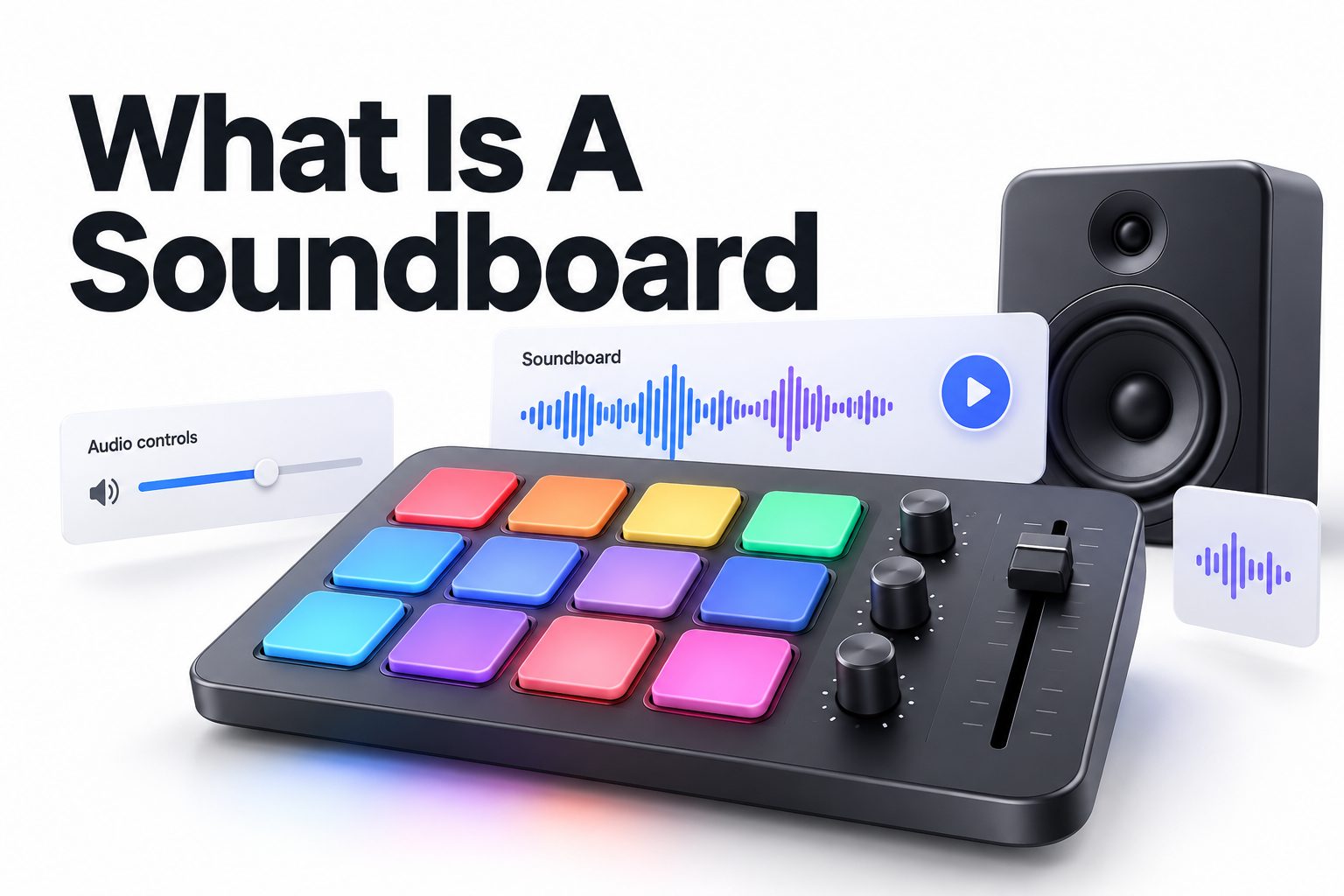
A soundboard is a device or software tool that lets you play, mix, control, and sometimes record audio from multiple sources. It is commonly used in radio studios, podcasts, live music, theaters, streaming, online meetings, and gaming. Depending on the setting, a soundboard may be a large physical console covered with sliders and knobs or a compact digital program with buttons for sound effects and audio clips.
The basic purpose is simple: a soundboard brings different audio signals together and gives you control over their volume, tone, timing, and output. A live musician might use one to balance vocals with instruments. A streamer might trigger a laugh, applause, or music clip with a single button. A podcast producer may use one to combine microphones, remote guests, intro music, and recorded effects.
This article explains the main types of soundboards, how they work, what the controls do, where they are used, and how to choose one. You will also learn how a soundboard differs from a mixer, what beginners commonly get wrong, and which features matter most for different audio setups.
What a Soundboard Does
A soundboard receives audio from one or more sources and routes those signals to an output. The sources might include microphones, instruments, computers, phones, music players, or other audio equipment. The operator adjusts each source so the final sound is balanced, clear, and suitable for the audience.
At its simplest, a soundboard controls loudness. More advanced models also shape tone, add effects, prevent distortion, send audio to separate destinations, and allow the operator to hear selected channels through headphones. These controls make it possible to manage several sounds at once without letting one source overpower the others.
A soundboard may also refer to software that stores short audio clips. In this context, users press virtual buttons to play sound effects during a stream, video call, broadcast, or game. The software version is often designed for quick playback rather than detailed control of microphones and instruments.
The basic audio path
Audio usually follows a predictable path through the board:
Source → input channel → channel controls → main mix →
For example, a microphone sends an electrical audio signal into an input. The soundboard adjusts that signal, combines it with music or another microphone, and sends the finished mix to speakers, headphones, a recording device, or a streaming platform.
Main Types of Soundboards
Physical soundboards are hardware consoles used to control audio signals. They range from small boards with a few inputs to professional systems with dozens of channels. Physical models are common in concert venues, churches, broadcast studios, schools, theaters, and recording rooms.
Digital soundboards use software or digital processing to perform many of the same tasks. Some are touchscreen-controlled hardware units, while others are applications that run on a computer or mobile device. Digital systems often provide presets, automation, recording features, and detailed routing options.
Sound effect soundboards are a separate category. They are built around quick playback of preloaded clips rather than full audio mixing. A user may assign a clip to a button, then trigger it instantly during a live broadcast or online conversation.
Common soundboard categories
- Live sound consoles balance microphones, instruments, and playback audio for an audience.
- Studio mixers help record and monitor multiple tracks with precise control.
- Broadcast consoles manage microphones, phone calls, music, and prerecorded segments.
- Streaming soundboards trigger clips and combine microphones, games, music, and chat audio.
- DJ mixers control music channels, transitions, effects, and microphone input.
- Software soundboards play assigned audio clips from a computer or mobile device.
Physical and software options compared
| Feature | Physical soundboard | Software soundboard |
|—|—|—|
| Main control method | Knobs, sliders, buttons, and switches | Mouse, keyboard, touchscreen, or MIDI controller |
| Portability | Requires carrying hardware and cables | Often runs on an existing computer |
| Audio inputs | Depends on the board’s connectors | Depends on the computer or audio interface |
| Clip playback | Available on some models | Usually easy to configure |
| Reliability | Works independently of many software issues | May depend on operating system and applications |
| Learning curve | Requires familiarity with signal flow | Often easier for basic clip triggering |
| Best suited for | Live audio, instruments, venues, studios | Streaming, calls, gaming, and simple production |
Soundboard Controls Explained
The controls on a soundboard can look complicated at first, but most boards use the same basic layout. Each audio source usually has its own channel strip. The channel strip contains controls for that source, while larger controls near the right side manage the combined output.
The channel gain or trim control sets the input level before the signal passes through the rest of the board. This is different from the channel fader, which controls how loudly that channel appears in the final mix. Setting gain correctly helps prevent a signal from being too quiet, noisy, or distorted.
Essential controls
- Gain or trim controls the strength of the incoming signal.
- Equalization, often labeled EQ, adjusts bass, midrange, and treble.
- The channel fader sets the source’s level in the main mix.
- Pan places a sound toward the left or right side of a stereo field.
- Mute silences a channel without disconnecting the source.
- Solo lets the operator listen to one channel or a small group of channels.
- Auxiliary sends route audio to headphones, monitors, effects, or separate mixes.
- The master fader controls the overall output level.
- Level meters show how strong the signal is and warn of possible clipping.
A board may also include phantom power, which supplies electricity through certain microphone cables for condenser microphones and other compatible equipment. Phantom power should be used carefully because not every device connected to an input should receive it.
How a Soundboard Works in Practice
Using a soundboard begins with identifying every audio source and deciding where each source needs to go. A small podcast might include two microphones, a computer for remote guests, background music, and headphones. A concert could involve dozens of microphones, instruments, monitor speakers, and recording outputs.
Once the sources are connected, the operator checks the input levels. Each channel is adjusted so the signal is strong enough to be clear but not so high that it causes distortion. The channels are then balanced against one another, and the main output is set to a safe listening level.
A soundboard does not automatically make poor recordings sound professional. It gives the operator control, but good results still depend on microphone placement, room acoustics, appropriate gain settings, and careful listening.
A basic setup sequence
1. Connect each audio source to the correct input.
2. Connect the main output to speakers, headphones, a recorder, or a computer.
3. Lower channel and master faders before turning on equipment.
4. Activate phantom power only when a compatible microphone requires it.
5. Ask each performer or speaker to produce their loudest expected sound.
6. Raise the gain until the meter shows a healthy level without clipping.
7. Set channel faders to balance the sources.
8. Adjust EQ only when the sound needs correction.
9. Test headphones, monitors, and recording outputs.
10. Monitor the mix during the entire performance or recording.
Soundboard Uses in Different Settings
Soundboards are used wherever several audio signals need to be controlled together. In a live concert, the board balances vocals, guitars, drums, keyboards, and playback tracks. The front-of-house operator creates the mix heard by the audience, while another operator may create a separate mix for performers’ stage monitors.
In podcasting, a soundboard can combine multiple microphones, remote callers, music, advertisements, and sound effects. A board with mix-minus routing can send a remote guest everything they need to hear without sending their own voice back to them, which helps avoid distracting echoes.
Streaming and online content
Streamers often use soundboards to combine a microphone with game audio, music, alerts, and voice chat. Some use physical controls, while others use software hotkeys or dedicated buttons. The main challenge is keeping speech understandable while preventing background audio from becoming too loud.
For online meetings, a simple soundboard can provide quick access to prerecorded announcements or effects, but it should be used sparingly. Unexpected sounds can interrupt a discussion, distract participants, or create accessibility problems for people who rely on clear speech.
Radio, theater, and public events
Radio studios use specialized consoles to manage hosts, guests, music, telephone callers, and prerecorded material. These systems often include features for monitoring, cueing, talkback communication, and rapid source switching.
Theater soundboards control wireless microphones, music, prerecorded effects, and live instruments. Operators may follow a timed cue sheet, raising or lowering channels at precise moments. Public events use similar systems for speeches, presentations, announcements, and background music.
Soundboard Versus Audio Mixer
The terms soundboard and audio mixer are often used interchangeably. In most practical situations, they describe equipment that combines and controls audio signals. A person may call a large live-production console a soundboard and a smaller desktop unit a mixer, even though both perform similar functions.
The difference is usually about context rather than a strict technical boundary. “Mixer” often emphasizes the act of combining audio, while “soundboard” may refer to the entire control surface or the operator’s console. Some software products called soundboards focus mainly on triggering clips rather than mixing several physical inputs.
When the distinction matters
Look at the product’s actual features instead of relying on its name. A device marketed as a soundboard may have only a few audio inputs and several buttons for sound effects. A mixer may offer microphone preamps, EQ, routing, phantom power, and multiple outputs.
For a microphone-heavy setup, prioritize input channels and audio routing. For live clip playback, prioritize programmable buttons, low-latency triggering, and software compatibility. The label is less useful than the signal flow and controls the product provides.
Choosing the Right Soundboard
The right choice depends on the number of audio sources, the environment, and the kind of control you need. Someone recording a solo podcast does not need the same equipment as a band performing in a large venue. Buying more channels than necessary can increase cost and complexity without improving the result.
Start by listing your current sources and any equipment you expect to add within the next year. Count microphones, instruments, computers, phones, playback devices, and monitor outputs. Leave some spare capacity if your setup is likely to grow.
Features worth evaluating
- Number and type of input channels
- Microphone preamp quality
- Phantom power availability
- USB or other computer connection
- Headphone and monitor outputs
- Separate mixes for performers or remote guests
- Built-in effects
- Equalization controls
- Programmable clip buttons
- Recording and playback support
- Physical size and portability
- Compatibility with your operating system and software
For beginners, clear labeling and straightforward controls can matter more than a long feature list. A board that is easy to understand is less likely to be misconfigured during a live event. Professional users may prioritize flexible routing, remote control, digital recall, and redundant outputs.
Setting Up a Soundboard for Beginners
Before connecting anything, decide which device is the source and which device is the destination. A microphone, laptop, or instrument sends audio into the board. Speakers, headphones, a recorder, or streaming software receive audio from it. Confusing inputs and outputs is one of the most common setup errors.
Use balanced connections when available, especially for long cable runs or electrically noisy environments. Keep power cables separate from audio cables where practical, and label both ends of every cable. Good organization makes troubleshooting much faster when several devices are connected.
A simple home recording setup
A beginner recording setup may include one microphone, headphones, a laptop, and a compact USB mixer. Connect the microphone to an input, the headphones to the headphone output, and the mixer to the laptop using USB. Start with all levels low, then raise them gradually while speaking.
The microphone should be positioned close enough to capture a strong signal without excessive room noise. Avoid aiming it directly at a loud speaker, and do not monitor the microphone through speakers while recording, since that can create feedback.
A simple streaming setup
For streaming, connect the microphone to the mixer or audio interface, then route the board’s output to the computer. Add game audio or a second computer source if needed. In the streaming software, select the correct input and confirm that the signal meter responds when you speak.
Monitor the stream as a viewer would hear it. A microphone can sound fine in headphones while game audio overwhelms it in the final broadcast. Record a short private test before going live and listen for delay, echo, clipping, or missing sources.
Common Soundboard Problems
The most frequent problem is clipping, which happens when an audio signal is too strong for the system to handle. Clipping produces harsh distortion that cannot be fully repaired later. Lowering the channel gain is usually the first fix, not simply lowering the master volume.
Feedback occurs when a microphone picks up sound from a speaker and sends it back through the system repeatedly. The result is often a ringing or high-pitched squeal. Move the microphone away from the speaker, reduce the relevant channel level, reposition the speaker, or use headphones for monitoring.
Troubleshooting checklist
- No sound: check power, cables, mute buttons, channel assignment, and master level.
- Distorted sound: reduce input gain and check whether any device is overloaded.
- Humming or buzzing: test cables, power sources, and balanced connections.
- Echo: check for duplicate software monitoring or an open speaker near the microphone.
- Uneven volume: match channel gain and fader levels, then compare sources carefully.
- One-sided audio: check pan controls, stereo cables, and left-right routing.
- Delayed monitoring: disable unnecessary software monitoring or use direct monitoring.
- Sound effects not playing: verify the selected output device and clip volume.
Best Practices for Clear Audio
Good soundboard operation starts with conservative levels. Leave enough headroom for unexpected volume changes instead of running every meter close to its maximum. A mix that is slightly quiet can be increased later, while distorted audio is much harder to rescue.
Listen through the same type of output your audience will use whenever possible. Headphones reveal noise, clicks, and timing problems, while speakers reveal room balance and feedback risks. Check both during preparation, especially for live broadcasts and events.
Practical habits that prevent problems
- Label every input and output.
- Keep a written channel list for complex setups.
- Test at the loudest expected speaking or playing level.
- Save digital presets only after confirming that the routing works.
- Keep spare cables and adapters available.
- Avoid changing several controls at once during troubleshooting.
- Monitor the final output, not just an individual channel.
- Record a short test before an important session.
- Keep microphones away from speakers and hard reflective surfaces.
- Lower levels before connecting or disconnecting equipment.
Soundboard Mistakes to Avoid
One common mistake is treating gain and volume as the same control. Gain determines how strongly a source enters the board, while the fader determines how much of that source appears in the mix. If the input gain is too high, lowering the fader may not remove distortion that has already occurred.
Another mistake is adding EQ to solve every audio problem. Excessive bass can make speech muddy, but removing too much bass can make it thin. Sharp treble may make a voice seem clearer at first but can also emphasize harshness and microphone noise.
Do not assume a more expensive soundboard will fix an unsuitable room or poor microphone technique. Background traffic, computer fans, echo, and inconsistent microphone distance often have a larger effect on quality than the board itself.
Soundboard Software and Digital Tools
Software soundboards are useful when the main goal is triggering audio clips quickly. Users can assign sounds to buttons, organize them into categories, adjust playback volume, and sometimes set clips to stop, loop, or fade. The exact features vary by application, so compatibility should be checked before installation.
A software soundboard may also depend on virtual audio routing. This lets one application receive the soundboard’s output while another receives the microphone or game audio. Virtual routing can be powerful, but it may create confusion if several programs use different input and output devices.
For guidance on organizing audio during online broadcasts, see [Internal Link: live streaming audio setup]. For creators working with recorded clips, [Internal Link: podcast recording tips] may also be useful.
Soundboard Alternatives
A compact audio interface is often a better choice when you only need to connect one or two microphones to a computer. It usually provides cleaner input control and monitoring without the extra channels found on a larger mixer.
A digital audio workstation can replace some soundboard functions during recording and editing. It allows precise volume automation, effects, noise reduction, and multitrack work, but it may not respond as quickly as physical controls during a live event.
Keyboard shortcuts, MIDI controllers, and dedicated stream controllers can also trigger sound effects. These alternatives are useful when clip playback is the priority and detailed microphone mixing is handled elsewhere.
The Role of a Soundboard Operator
A soundboard operator listens continuously and makes small adjustments before problems become obvious. The job is not simply to move sliders. It involves anticipating changes, watching meters, communicating with performers or speakers, and keeping the final mix consistent.
During a live event, the operator may need to respond to a microphone being handed to a new speaker, an instrument becoming louder, or a prerecorded clip starting unexpectedly. Preparation reduces pressure, but attentive monitoring remains essential throughout the event.
For larger productions, operators often create a written input list, stage plot, cue sheet, and backup plan. These documents make it easier to identify channels quickly and recover if a cable, microphone, or playback device fails.
Conclusion
A soundboard is a control system for managing audio from multiple sources. It can balance microphones and instruments at a concert, combine voices and music for a podcast, trigger clips during a stream, or route announcements through a public-address system. Physical consoles and software tools serve different needs, but both depend on the same basic principles: clean signal flow, sensible levels, clear routing, and careful monitoring.
For a first setup, count your audio sources, decide where the finished mix must go, and choose equipment with enough inputs and outputs for the job. Learn the difference between gain, fader level, EQ, mute, solo, and master volume before adding advanced effects. Good cable organization and short test recordings can prevent many avoidable problems.
The best choice is not necessarily the largest or most expensive unit. It is the one that gives you the right connections and controls without making everyday operation unnecessarily difficult.
Frequently Asked Questions
Is a soundboard the same as a mixer?
Usually, yes. The terms often describe equipment that combines and controls audio signals. “Soundboard” is common in live production, while “mixer” is more general. Some software soundboards focus mainly on triggering clips rather than mixing inputs.
Can a soundboard improve microphone quality?
A soundboard can improve control over microphone level, tone, and routing, but it cannot fully correct a poor microphone, noisy room, bad placement, or distorted recording. Good source quality still matters more than the control surface.
Do I need a soundboard for streaming?
Not always. Streaming software, a USB microphone, or an audio interface may be sufficient for a simple setup. A soundboard becomes useful when you need several sources, physical controls, separate mixes, or instant sound-effect playback.
Why does a soundboard create feedback?
Feedback happens when a microphone captures sound from a speaker and the signal is amplified repeatedly. Lowering the microphone channel, moving the microphone or speaker, and using headphones for monitoring can usually reduce or eliminate the problem.
How many channels should a beginner choose?
Choose enough channels for your current sources plus a few spare inputs. A solo creator may need only one or two microphone inputs, while a band, podcast team, or event may require many more channels and separate output mixes.